Free Download for Windows

View an ad to download for free

Transform Your Windows Experience with Snow Transformation Pack

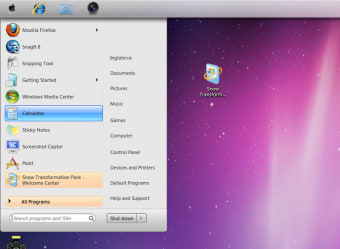
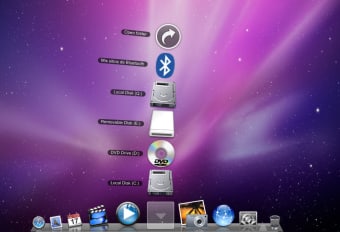
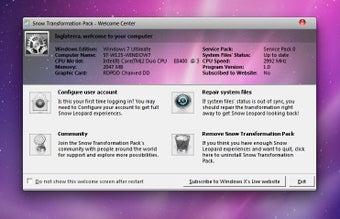
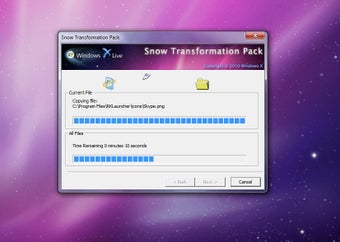
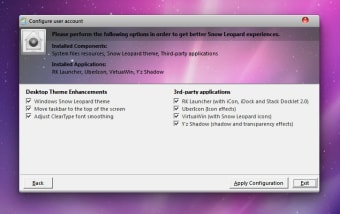
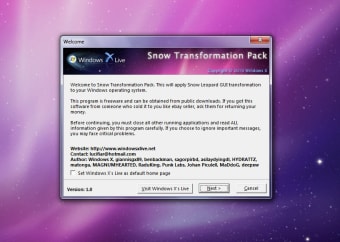
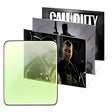
Snow Transformation Pack is a free personalization tool designed for Windows users seeking to enhance their desktop environment. This application allows users to apply a winter-themed aesthetic to their operating system, transforming the look and feel with snowy visuals and seasonal elements. The pack includes various themes, icons, and wallpapers that evoke the beauty of winter, creating a refreshing atmosphere on your desktop.

Top Recommended Alternative

The program is easy to install and integrates seamlessly with Windows, making it accessible for users of all experience levels. With its focus on themes, Snow Transformation Pack offers a unique way to customize your system, ensuring that your desktop reflects the charm of the winter season. This makes it an appealing choice for those looking to personalize their Windows experience without any cost.


 0/10

App specs

  • Developer

  • License

    Free

  • Version

    1.0

  • Latest update

  • Platform

    Windows

  • OS

    Windows Vista

  • Language

    English

  • Downloads

    203.2K

    Last month's downloads

    • 26
  • Size

    30.99 MB

Program available in other languages


Icon of program: Snow Transformation Pack

Snow Transformation Pack for PC

  • Free
  • 3.2
    459
  • 203.2K
  • V1.0
Free Download for PC

View an ad to download for free


User reviews about Snow Transformation Pack

3.2

5 reviews

Add review

Main reviews for you

  • Anonymous user

    Is it helpful now. Dear juviene, don't worry its very easy just follow these steps before installing "snow transformation pack"1. Open "start menu"2. Open "control panel".3. Open "system and security".4. Open "change user account control setting".5. Change your computer setting to "never notify"you are all done nowjust save and exit from "control panel"now install "snow transformation pack"enjoy. :)ali ra_thore

  • Anonymous user

    It's good but has some problem. I use it for a week then i decided to remove it , it's look like Mac but i face some problems with some programs that i use every day like Window Media Player . Pros: - it's like if you have a mac .- amazing GUI . Cons: - background sounds distract you u need to turn them off .- some programs interface doesn't show in my desktop although they open .

  • Anonymous user

    Problems.. As amazing of an appearance this is, i'm having really annoying problems with it. The dock will freeze randomly or completely disappear, the mouse clicking sound will make noise when i'm not clicking anything or even touching the mouse, it will completely stop running applications while i'm in the middle of something, and the real snow leopard font only works on websites randomly, not consistently. (I downloaded my own dock at rocketdock.com so when this one disappears the one i downloaded stays and i use that one.)Should I try uninstalling it and reinstalling it again? Or do i have to deal these problems?


  • Anonymous user

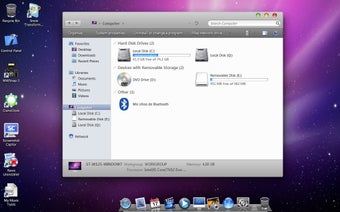
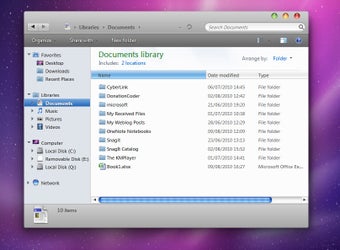
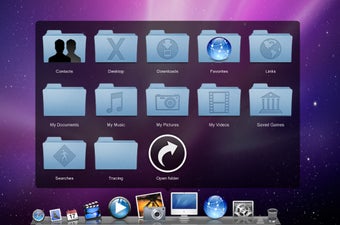
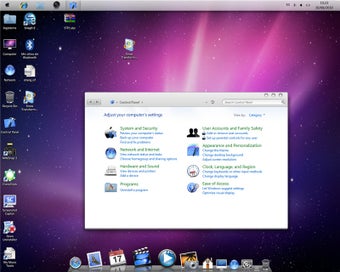
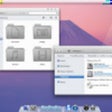
    Makes Windows 7 Look A Lot Like OSX. Snow Transformation Pack will transform your Windows 7 into a Mac OSX clone. Snow will transform icons to be more like Mac icons, it adds the system tray at the bottom and moves the taskbar to the top just like OSX does. Even adds OSX sounds.The downsides to Snow always makes sounds even if your not doing anything. It is also harder to uninstall than it should be. After I uninstalled it, it still kept the taskbar transformed but moved it back to the bottom, and while it removed the sounds, the login screen also stayed transformed. I also didn't like the fact the system tray always was placed on top of open browser windows, when the browser window should be placed on top of it.Overall I like the potential but I can't recommend it until the fix the sound and system tray bugs as well as fix it to where it completely uninstalls and restores everything back to default the very first time. Pros: Makes Windows 7 Look More Like OSXAdds Features Windows 7 Doesn't Come Standard WithFree Cons: Uninstalling Can Be A PainMakes Sounds Even If Nothing Is RunningSystem Tray Overlaps Browser

  • Anonymous user

    Problems in the sound. I can't make the sound work. And is not a problem with drivers.When I uninstall it, the problem dissapear. Pros: Nice Cons: Porblems with Sound

More

You may also like

Alternatives to Snow Transformation Pack

Explore Apps

Latest articles

Laws concerning the use of this software vary from country to country. We do not encourage or condone the use of this program if it is in violation of these laws.
Softonic

Is Snow Transformation Pack safe?

98/100

Score result: Clean

This file passed a comprehensive security scan using VirusTotal technology. It is safe to download.

  • Virus free
  • Spyware free
  • Malware free
  • Verified by Security Partners

    VirusTotal logo

Scan Info

Last scan
Tuesday, November 28, 2023
Scan provider
VirusTotal · Full report

File Integrity

File
STP1.zip
SHA256
71d596587d03be04fd96451dfd96834d79ea3726397ff09f1a51ecac3fc1308a
SHA1
4421c1c30f8385ba833136fd880e9d6513aadde4

Softonic security commitment

Snow Transformation Pack has been thoroughly scanned by our advanced security systems and verified by industry-leading partners. This file comes from the official developer and has passed all our security checks, showing no signs of viruses, malware, or spyware. For more information, visit our Security and Trust Center

Signed in to Softonic as